
There is a category of problem that shows up like this: “the client says they never received our email, but we definitely sent it.” Or, worse: “a supplier received a fake invoice with our name on it.”
In both cases the cause is usually the same, and it lives in three DNS records that almost nobody looks at: SPF, DKIM and DMARC.
This article explains all three without jargon, because the decision about them is a business decision, not an IT one.
The problem they solve
Email was invented with no sender verification of any kind. The way the protocol works, any server anywhere in the world can send a message claiming to be you. That is not a misconfiguration to be fixed; it is the original design, and it has never changed.
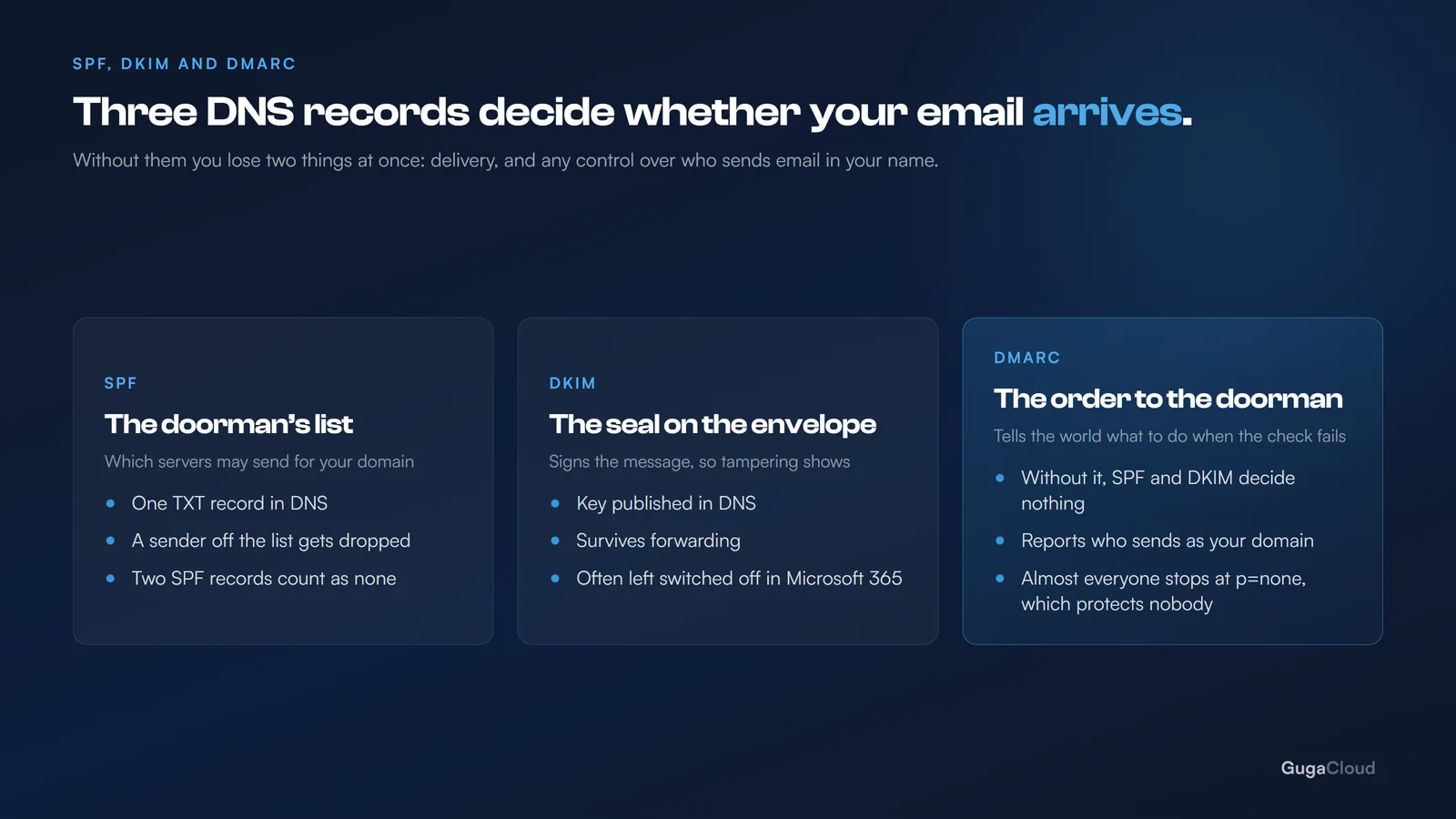
The three records are the correction that arrived afterwards. Each one solves a different part of the problem:
| What it does | Analogy | |
|---|---|---|
| SPF | Lists which servers are allowed to send using your domain | The front desk has the list of who may come in |
| DKIM | Signs the message to prove it was not altered | The seal on the envelope |
| DMARC | States what to do when verification fails | The instruction to the doorman: turn them away, or let them through |
None of them works on its own. SPF without DMARC is a guest list with nobody on the door.
SPF: who is allowed to speak for your company
SPF is a text record in your DNS that says, in machine language: “messages from my domain leave from these servers.”
When one of your emails reaches the recipient’s server, that server looks up the list. If the sender is not on it, the message is treated as suspect.
The most common mistake, and the most expensive: having two SPF records. It happens when somebody signs up for a new email marketing service, the provider says “add this SPF record”, and the person adds a second record instead of editing the one that already exists.
Two SPF records are equivalent to none. Validation fails immediately and all of your email starts being treated with suspicion — including the mail that was working perfectly the day before. There must be exactly one record, containing every legitimate source.
The other trap is leaving somebody off the list. The ERP that issues invoices, the HR system, the campaign platform, the website contact form, the printer that scans and emails. If it is not in the SPF record, it does not get through. Building that list is the slow part of the work, and it is the part that cannot be skipped.
DKIM: the proof that nobody tampered with it
DKIM signs every message that leaves your domain with a cryptographic key. The receiving server checks the signature against the public key published in your DNS.
If it matches, two things are proven at once: the message really did come from who it says, and the content was not altered along the way.
It is more robust than SPF for one very practical reason: DKIM survives forwarding. When somebody forwards your email, SPF breaks — the forwarding server is not on your list, and it never could be — but the DKIM signature stays valid. That matters more than it sounds, because forwarding is ordinary behaviour in business email.
In Microsoft 365, DKIM is available, but in many tenants it ships turned off. It is worth checking. This is one of the easiest adjustments to make and one of the most commonly forgotten. Microsoft documents the process in email authentication in Microsoft 365.
DMARC: the decision
With SPF and DKIM configured, what is left is the part nobody does: telling the world what to do when verification fails.
That is DMARC. It has three postures:
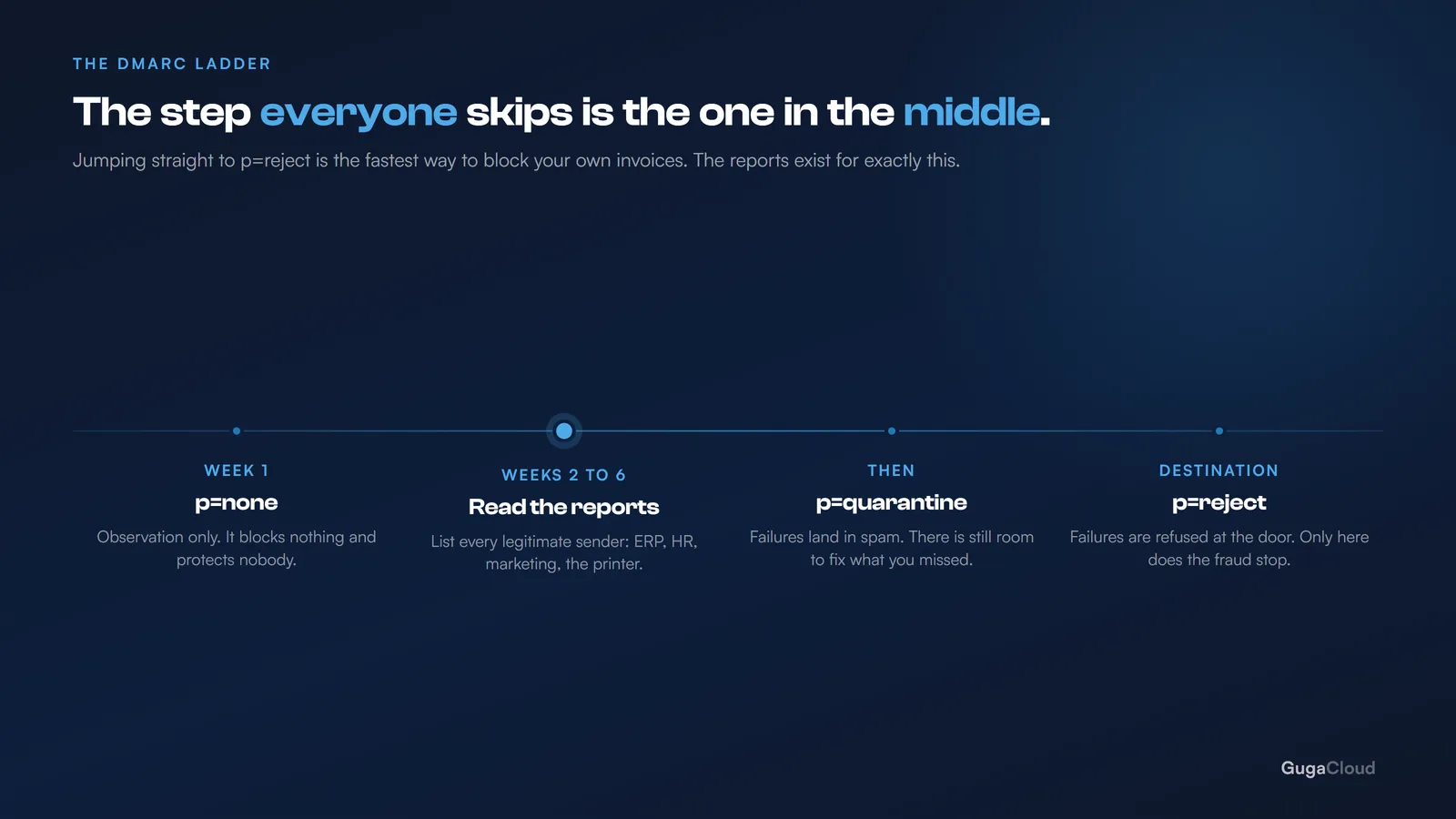
p=none— “check, report back to me, but deliver it anyway”. This is observation mode.p=quarantine— “if it fails, send it to spam”.p=reject— “if it fails, refuse delivery”.
Almost every domain that has DMARC at all is sitting on p=none and has stayed there. Which means the company built the entire verification system and then left the door unlocked: anyone impersonating you still gets delivered to your clients’ inboxes.
p=noneprotects nobody. It only reports. It is a starting point, never a destination.
DMARC also sends daily reports to an address of your choosing. That is where you find out who is sending email using your domain — including the systems you had forgotten existed, which is almost always a longer list than the one you wrote down.
The right path, in three stages
The order matters. Tightening DMARC before the house is in order knocks out legitimate email, and it knocks it out silently.
Stage 1 — Inventory and observation. Identify everything that sends using your domain, build a single SPF record containing all of it, enable DKIM, and publish DMARC at p=none with reporting turned on. Stay there for a few weeks.
Stage 2 — Read the reports. They will show sources you were not expecting. For each one there are only two answers: either it is legitimate and goes into the SPF record, or it is not, and you have just discovered that somebody is using your name.
Stage 3 — Tighten. Once the reports are clean, move up to p=quarantine. After a few more weeks with no surprises, go to p=reject.
Stage 2 is the one everybody skips, and it is the only one that stops you shooting yourself in the foot.
Why this is worth the effort
Two reasons, and it is usually the second one that settles the argument:
Deliverability. The large providers treat an unauthenticated domain with steadily increasing suspicion. This is no longer a case of “it works better with”: it is a case of “it works badly without”, and the trend has only gone one way.
Fraud in your name. Without DMARC at p=reject, anyone can send an email that looks like yours to your own clients. The classic scam — “we have changed bank, please pay into this account” — depends on exactly this. The loss is not yours: it lands on your client, with your company’s name on the message and your reputation attached to it.
The five-minute test
Three questions for your IT people:
- How many SPF records does our domain have? If the answer is not “one”, there is a problem right now, today.
- Is DKIM switched on? In Microsoft 365 it frequently is not.
- What posture is our DMARC in? If it is
p=none, or there is no record at all, anybody can impersonate you as of this afternoon.
If those three answers do not come back quickly, it is worth half an hour of conversation — this is among the highest-return, lowest-cost adjustments available anywhere in business email.