
There is a saving in Microsoft 365 that almost nobody takes, and it does not require negotiating a price with anyone: a shared mailbox does not consume a licence.
If your company is paying for licences on contact@, finance@, sales@ and support@, you are paying for four employees who do not exist.
It is not an exotic optimisation or a loophole. It is how Microsoft intends those addresses to be set up, and the reason it gets missed is simply that the quickest way to create an email address in the admin centre is to create a user — and a user needs a licence.
What a shared mailbox is
It is a mailbox with no owner. Nobody signs into it with their own username and password. The people authorised to use it reach it from their own account, and the mailbox appears in their Outlook, below their personal one. There is nothing to install and nothing extra to remember: it is simply a second folder tree sitting under the first.
Three things make it better than the common alternative of “everybody knows the password for contact@”:
- Replies go out from the departmental address, not from the personal address of whoever happened to answer.
- The history stays in one place, and it is still there after the person who built it leaves the company.
- You can tell who answered what, because every access happens under that person’s real account.
And, above all: it is free. It consumes no licence at all, as Microsoft documents directly.
When to use which
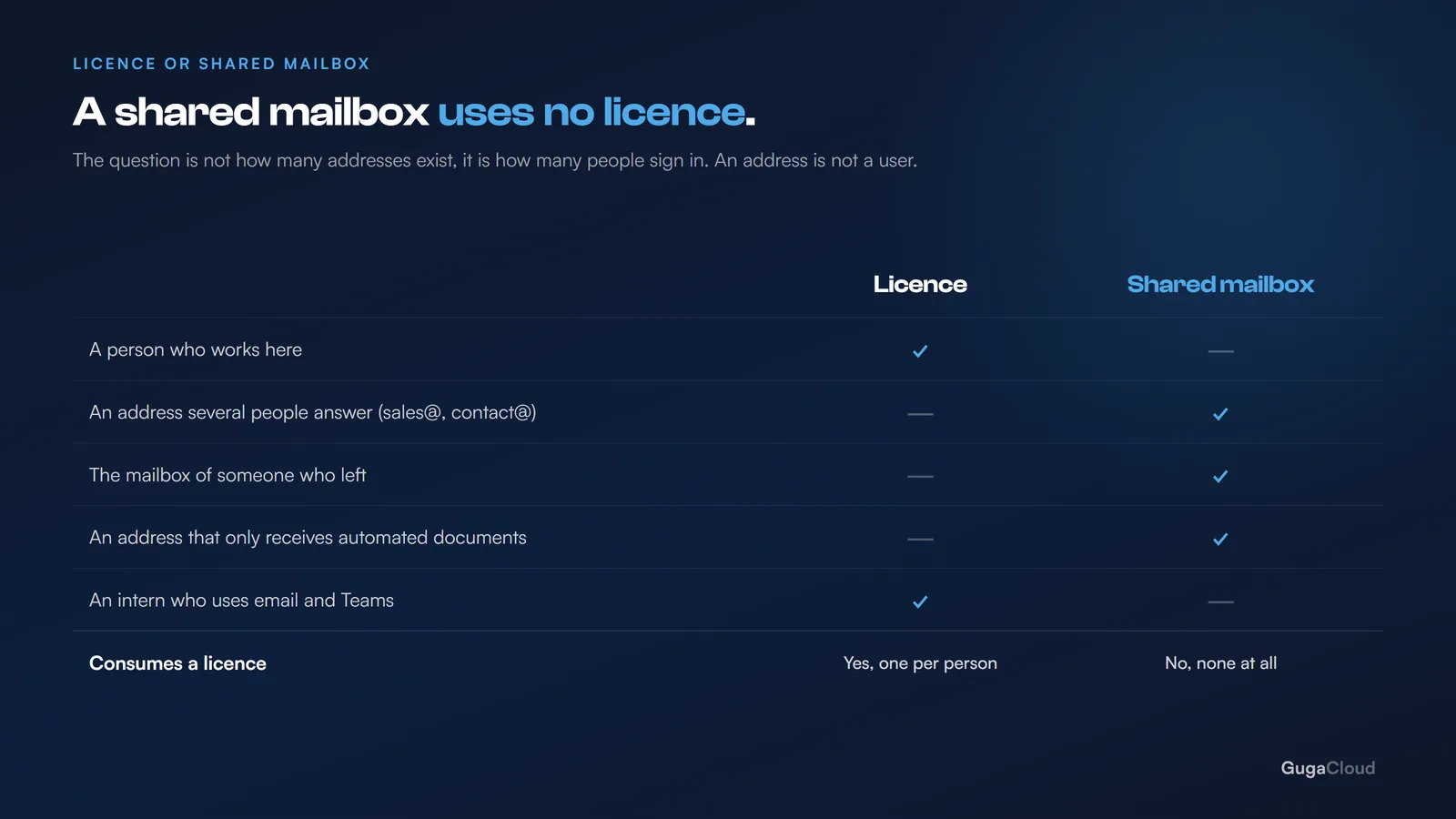
The rule is short: a licence is for a person, a shared mailbox is for a function.
| Situation | The right answer |
|---|---|
| John, in sales | Licence |
sales@, which three people handle |
Shared mailbox |
contact@ from the website |
Shared mailbox |
| Maria, who has left, whose email still needs reading | Shared mailbox |
invoices@, which only receives documents from a system |
Shared mailbox |
| An intern who uses Teams and email | Licence (Basic covers it) |
The test: is this mailbox a person who works here, or is it a way in? A way in does not pay for a licence.
The question is worth asking out loud for every address in the tenant, because the answer is rarely ambiguous. Nobody has ever had to think hard about whether support@ is a colleague.
The case that returns the most: people who have left
This is the most recurring saving and the most frequently forgotten.
When somebody leaves, the same worry always appears: “we cannot delete it, there might be something important in there.” And the worry is reasonable — there usually is something important in there: a client thread, a supplier agreement, the only copy of a quote. So the licence carries on being paid — sometimes for years, long after anybody remembers why, and often long after anybody has actually opened the mailbox.
The correct path costs nothing:
- Block the person’s access;
- Convert the mailbox to a shared mailbox;
- Grant access to whoever needs to read it;
- Remove the licence.
The mailbox carries on existing, the history stays accessible, and you stop paying. In any company with some staff turnover, this on its own is usually the largest saving available in the environment — and it compounds, because every departure that gets handled this way is a licence that never comes back.
One important caveat: conversion is not backup. A shared mailbox preserves what is in it, but it still has no independent copy — if somebody deletes the contents, the same recovery window applies as ever. The full reasoning is in Microsoft 365 backup.
The limits, so there are no surprises
A shared mailbox comes with three restrictions worth knowing in advance:
- There is a size limit. Above it, a licence has to be assigned. A functional mailbox rarely gets near it, but the mailbox of someone who left after ten years can.
- It cannot be used to sign in. Nobody logs into it directly — and that is a security advantage, not a limitation. An account that cannot be signed into is an account nobody breaks into with a weak password.
- Some advanced features require a licence. Archiving with its own policy, for example. If a particular mailbox is subject to a retention obligation under GDPR or your local data protection law, check what that obligation actually requires before converting it.
None of the three is usually a reason not to do it. They are reasons to check the handful of mailboxes where they might apply before you convert everything in one go.
The opposite mistake: turning a person into a shared mailbox
Worth a warning, because we have seen it attempted.
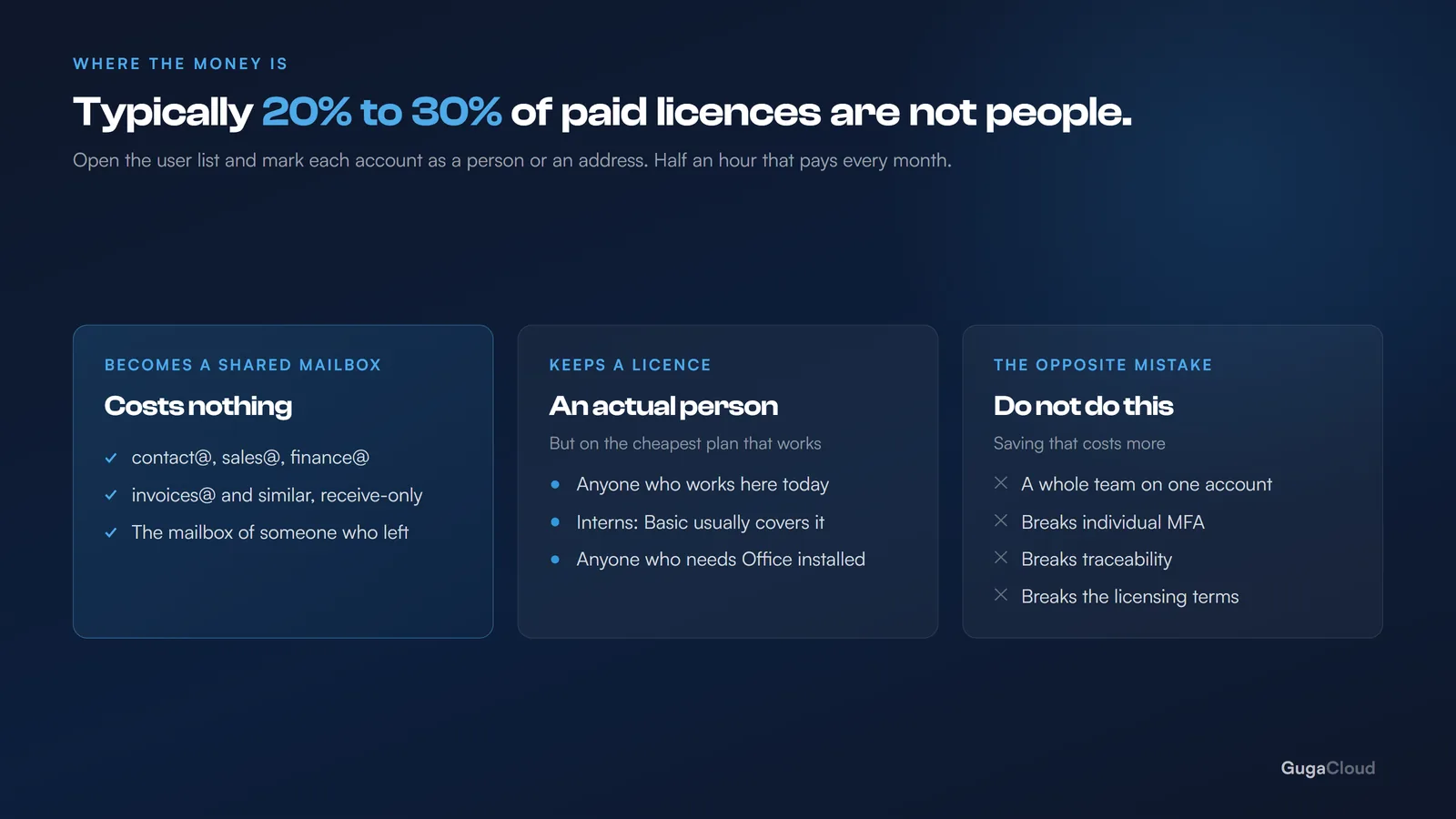
You cannot save money by converting active employees into shared mailboxes and having everybody work from a single account. That breaks traceability, makes individual multi-factor authentication impossible, breaches the licensing terms, and creates exactly the kind of generic shared account that every security incident is fond of.
Shared mailboxes save money where there is no person. Where there is a person, buy a licence — and the cheapest one that does the job, which is very often Basic. The saving that comes from choosing the right plan for a real employee is real; the saving that comes from pretending an employee is not one is a liability wearing a discount.
Half an hour that tends to pay for itself
Open the user list in your tenant and mark every account as either person or address:
- How many licensed accounts do not correspond to anybody who works there today?
- How many belong to people who have already left?
- How many are
contact@,sales@,invoices@and similar?
Add up all three. That is your immediate saving, and it repeats every month for as long as the environment exists. Unlike most cost exercises, there is nothing to negotiate, nothing to migrate and nobody to retrain — the addresses carry on working exactly as they did.
It is also worth doing once a year rather than once. Licences accumulate quietly: a new address here, a departure handled in a hurry there, and within eighteen months the list has drifted again.
In most of the small companies we audit, somewhere between 20% and 30% of the licences being paid for are not people. It is almost never anyone’s carelessness. It is simply that nobody has ever sat down with the list and that particular question in mind.